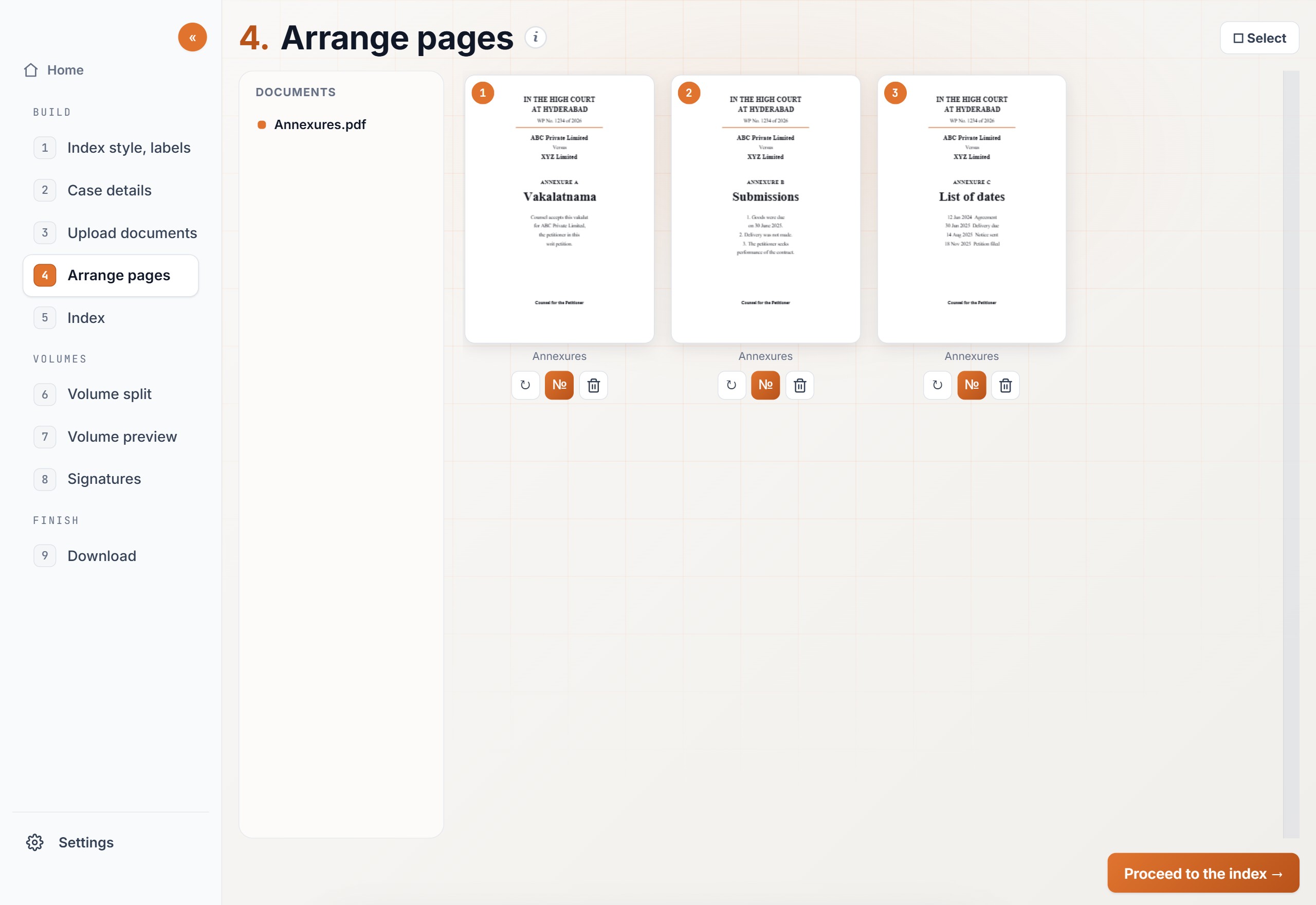
Open Tools, then Arrange pages. These are the three jobs on that screen.
Rearrange PDF pagesThe annexures are in one file, but not in the order the court should read. Drag each page into that order.
Reorder pagesDrag one thumbnail to a new place. To move several at once, click Select, choose them, Cut, click the line where they should sit, and Paste.
Rotate a pageClick the rotate button on that page. Each click turns it a quarter turn, until the writing is upright. Select several sideways pages and use Rotate to turn them together.
Steps
01
Upload the fileOpen Tools, then Arrange pages. Upload the PDF. If pages from another file belong in the same download, click Add files. Every page shows as its own thumbnail.
02
Put the pages in orderDrag a page to rearrange the PDF. The small number on the thumbnail is only its place on this screen. It is not printed on the page.
03
Turn or drop a pageRotate a page that is sideways. Delete a page that should not be in the filing. Open a page larger if you need to read it before you decide.
04
DownloadClick “Download arranged PDF”. You can change the file name first. The name ends with “_arranged” unless you change it.
Expected output
The download is one PDF. The pages are in the order you set, and each page is turned the way you left it. A page you deleted is not in the file.
Nothing new is stamped on the page. There is no running number and no index. When the filing needs numbers, use Page numbers on this file next.